
Blast Rush Online Manual
Thanks for playing Blast Rush! Use this manual as reference for all features of the game, including finer points not shown in the “How to Play” tutorial mode.
About Blast Rush
The war with the alien horde has gone long enough. Your mission was to infiltrate the enemy mothership and destroy their energy core. The good news is you did it, but from here, the only way out is the access tunnel; a humongous corridor stretching across the entire mothership. It’s a straight shot, but the remaining reinforcements are determined to keep you there. Worse, the mission’s left your ship’s machine guns overworked and weakened. Shooting your way out isn’t an option, but your arsenal of bombs is still primed and ready to go, and it’s your best chance to survive. Kick your thrusters into full power and rush to victory!

STARTING UP
Tutorial
If it’s your first time installing and playing Blast Rush, you begin with How to Play, a brief interactive tutorial to learn the basics of the game. After completing the tutorial, you’ll automatically enter Standard mode to try your hand at blasting. Press the “Skip” button in the upper-right of the screen at any time to exit How to Play and go straight to the main menu.
Main Menu Buttons
More info on these are found later in the manual.
- Standard: Select a ship and begin playing Standard mode.
- 2-Minute Mode (Standard): Get the highest score with Standard mode rules within the time limit.
- Endurance: Select a ship and begin playing Endurance mode.
- 2-Minute Mode (Endurance): Get the highest score with Endurance mode rules within the time limit.
- Records: View your best scores in every game mode and ship, and track your progress in achievements and leaderboards.
- How to Play: Replay the tutorial.
- Settings: Review and adjust various game options.
BASIC PLAY
Movement
Touch and slide your finger on the screen to move your fighter ship. You can fly freely around the tunnel, but enemies will often appear from the top and sides of the screen, so stay alert!
TIP  You don’t have to keep your finger on the ship; you can touch anywhere on the screen as if moving a cursor.
Attacking
Firing bullets: The ship’s machine guns automatically fire bullets at all times. They may be weak, but they might still work!
Blasting: As long as you’re moving (touching the screen), the ship repeatedly fires its bomb, keeping enemies at bay. (This works differently for the Crystal Heron ship; see “Ships” below.)
Gusting: Move the ship horizontally one way, then quickly fly in the opposite direction to “kick up” a burst of air that can destroy enemies with the same power as bombs. This “gust” technique may save you in a pinch, clear out more enemies during a Hyperdodge, or boost your score (see “Standard” for more).
TIP Be careful — an over-reliance on gusting movements could destroy YOU!
Pausing the Game
Tap the upper area of the screen around the score display to pause. This brings up the pause menu, where you can restart the game from the beginning with the same ship and game mode, or exit to the main menu. Tap the same upper area to resume play.
SHIPS

BR-15
A ship that’s been in service for many years, but is reliable as ever.
BOMB TYPE: Direct: A charge explodes directly in front of the ship.
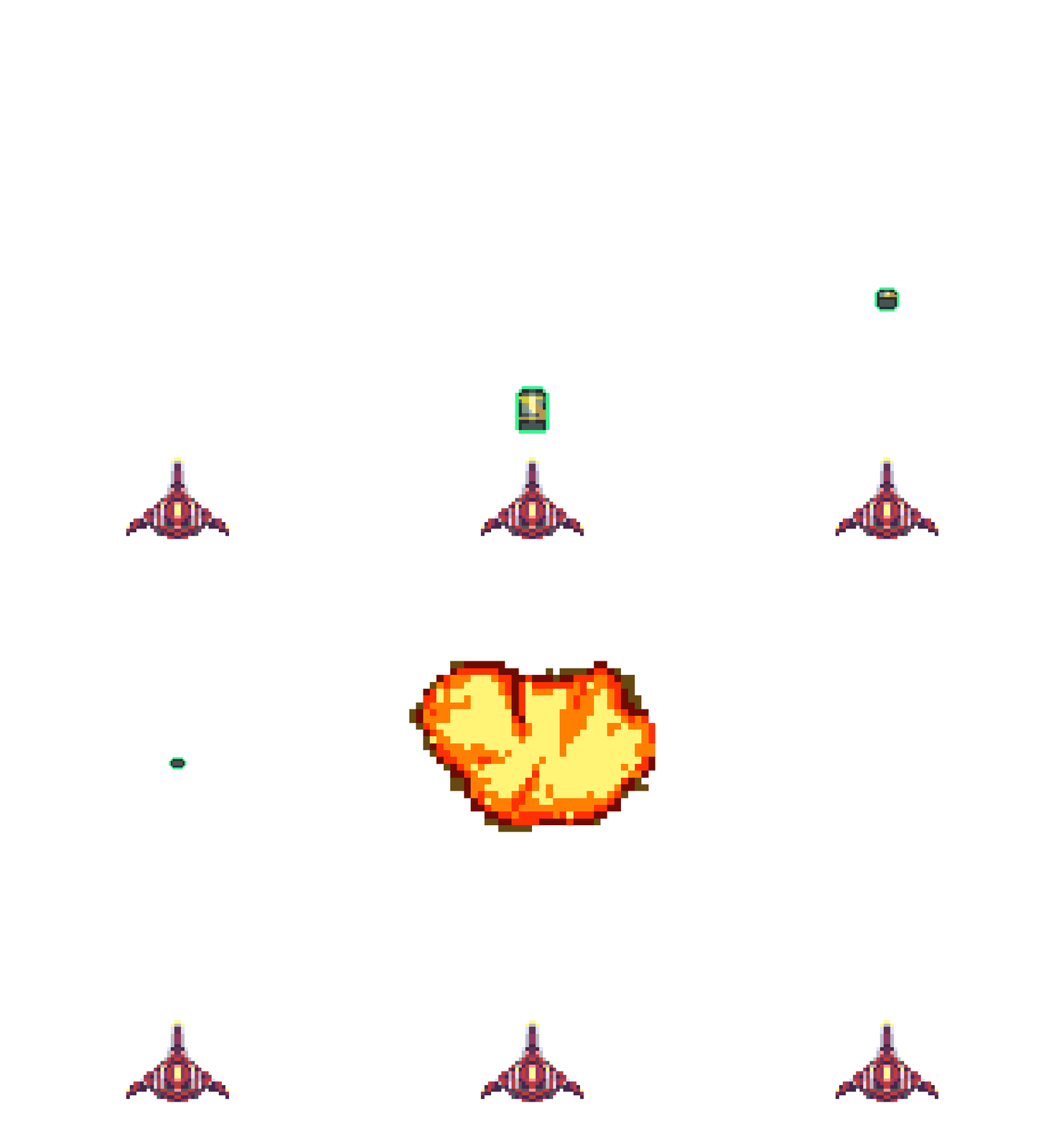
Dignity Saber
Part of the elite fleet of the galaxy defense force.
BOMB TYPE: Lob: A grenade flies forward for a moment before exploding.

Crystal Heron
An elegantly designed yet largely untested prototype, emitting a bright blue trail and extra-powerful arsenal.
BOMB TYPE: Roll: Three powerful jets of flame engulf the tunnel, destroying all enemies, but there’s more…
- Rather than firing rapidly when moving, touching and holding primes the Roll bomb as long as you need. To fire, simply release your finger. Use this to blow away large groups of enemies at the right moment. Alternately, you can tap the screen to fire instantly.
- Because of its great power, the bomb requires a few seconds to recharge, indicated by a meter above the Heron.
TIP In addition to its powerful bomb, the Crystal Heron’s bullets are just strong enough to destroy enemies faster than the other ships.
ENEMIES
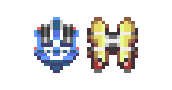
The two types of regular enemies are what you’ll the see the most — small drones meant to hinder your progress by coming at you in large numbers. Their only difference is their appearance.
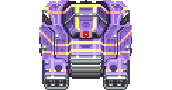
Big Eyes are tank-sized peacekeepers. While imposing, they’re slower than the others, and deployed in fewer numbers. Some can even open their “mouths” to release regular enemies. They take two bomb or gust hits to be destroyed, and bullets definitely won’t work!
TIP It’s possible to destroy regular enemies with bullets in any ship, but the enemies would have to move very slowly. In other words, it’s best to blast.
HYPERDODGE
Hyperdodge emblems  will regularly appear in the tunnel. Don’t miss a chance to grab one! The Hyperdodge power slows time when an enemy enters a certain radius of the ship. You can hold up to nine emblems, and each is spent automatically once the effect begins.
You have only a few seconds before the Hyperdodge effect ends, so use the time wisely to move out of danger or clear enemies from the immediate area. You cannot pause the game during Hyperdodge.
TIP Change the position of the Hyperdodge status icon via the Settings menu.
GAME MODES
STANDARD
In this mode, escape the enemy mothership by making it through 40 waves of enemies. You gain points for every enemy you blast away. Rush to the end and get the high score!
Game Screen
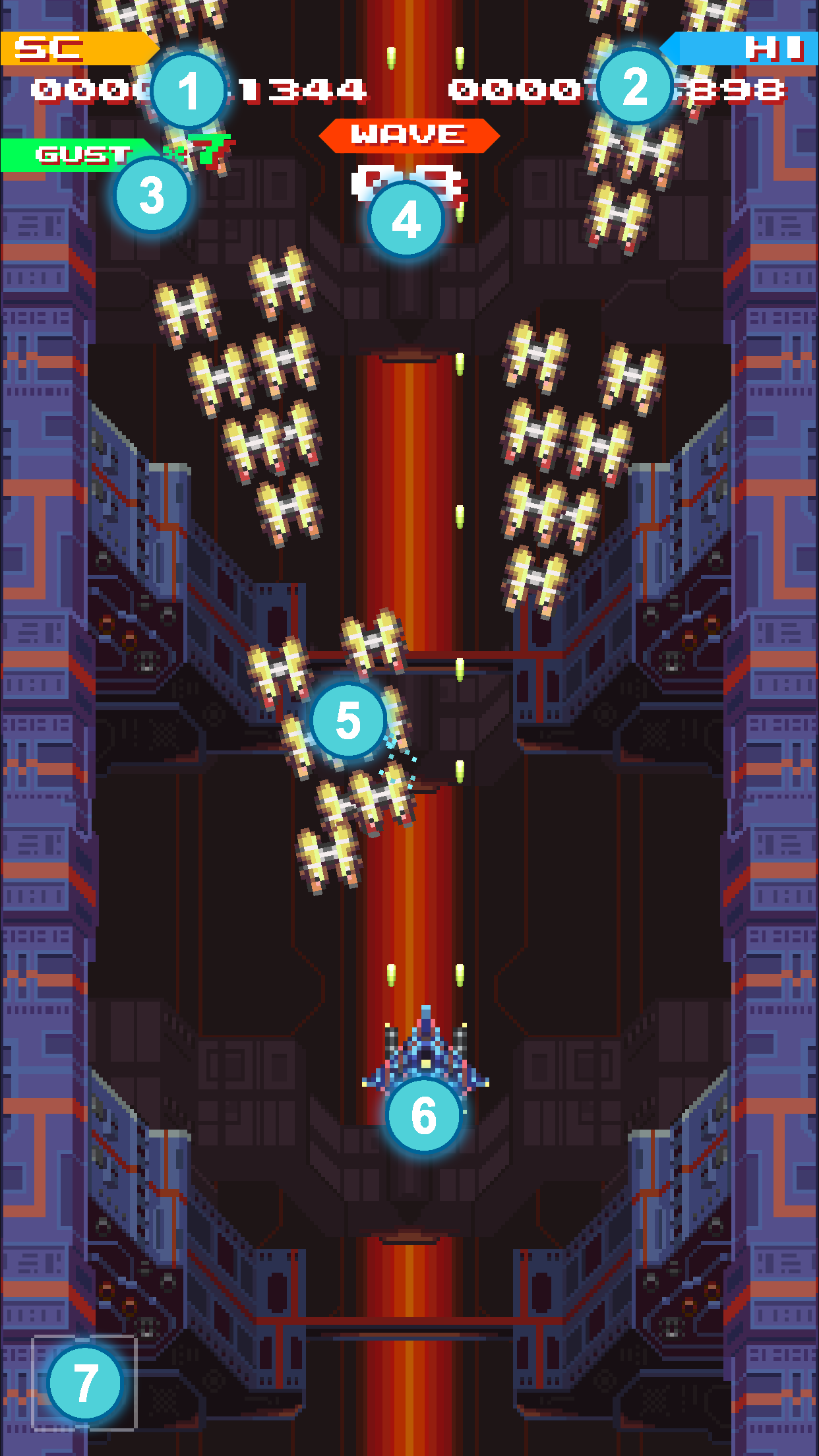
- SC (Score): The current score for this session.
- HI (High Score): The highest score recorded on this device.
- GUST (Gust multiplier): Increases whenever gusts destroy enemies (see “Advanced Scoring” below)
- WAVE: The current wave.
- Enemies
- Your fighter ship
- Hyperdodge: Tallies the number of Hyperdodge emblems you’ve collected and can use.
Scoring
The secondary aim of Standard mode is to record high scores. To start, you get one point each time a bullet hits an enemy. You get more for destroying them:
- Regular enemies: 100 points
- Big Eyes: 200 points
Advanced Scoring
- Destroying an enemy by gusting builds the gust multiplier, which boosts the point values of all enemies up to nine times (x9). The multiplier slowly returns to x1 if enemies aren’t consistently destroyed with gusts. Gusting is the only way to activate the multiplier, but afterward, you can destroy enemies any way you want to get the multiplied value.
- You receive a Clear Bonus of 75,000 points upon finishing wave 40.
- Another big score bonus or two are waiting to be discovered…
STANDARD 2-MINUTE MODE
In 2-Minute Mode, you’re given two minutes to increase your score as much as possible. Balance your skills in bombing, gusting, and dodging to acquire the most points in a short amount of time.
When time is up or your ship is destroyed, you’re awarded bonus point values based on your initial score, time spent, and how many enemies you destroyed. Surviving till the end will net the maximum time bonus, and when combined with the destroyed enemy count, this can tremendously boost your score.
ENDURANCE
How long can you stand an endless stream of enemies? In Endurance mode, waves come at you in randomly-chosen patterns! You’ll encounter waves from Standard mode and several original patterns.
Unlike Standard, Endurance mode has no score — your record is the most waves you survived!
Game Screen
With Endurance mode’s lack of score and multipliers, wave info takes precedence:
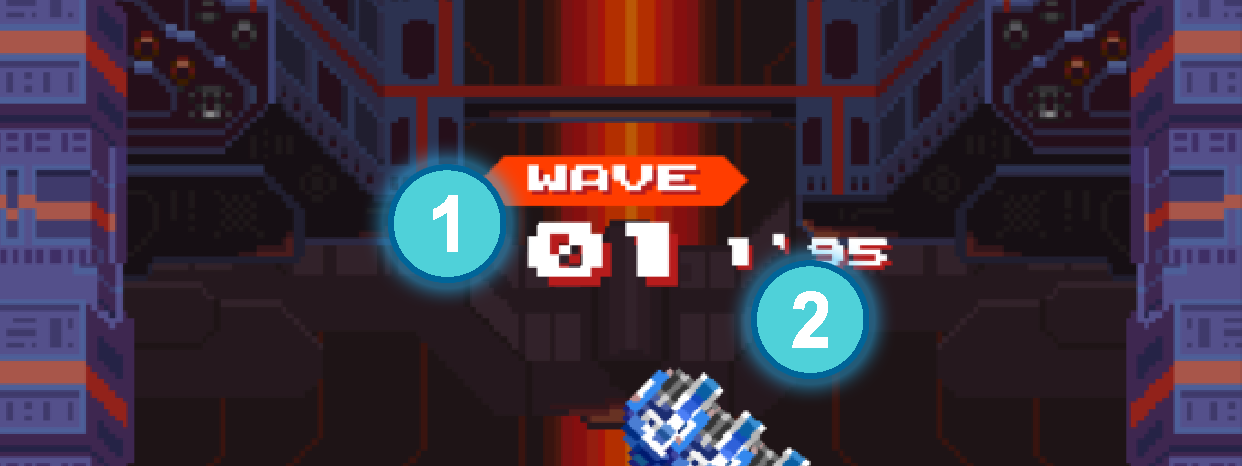
- WAVE: The current wave.
- Wave Timer: Counts down the wave’s length in seconds before the next wave begins.
ENDURANCE 2-MINUTE MODE
Endurance 2-Minute Mode follows the same rules as Standard 2-Minute Mode: survive and destroy as much as possible to boost your score. Considering the differences of Endurance, this 2-Minute Mode adjusts the endgame bonus based on the number of waves passed, in addition to time remaining and enemies destroyed.
SETTINGS
Visit the Settings menu for these options and sections:
- “?” Button: Takes you to the Online Manual.
- Hyperdodge: Choose how to activate Hyperdodge, and which side of the screen to display the Hyperdodge status icon.
- Controls: Adjust the fighter ships’ movement sensitivity to lessen the sliding motion required for movement. Recommended if playing on larger screens such as tablets.
- Screen Shake: Toggles the background vibration effect.
- Music / Sound Effects: Mutes or unmutes these audio options as desired.
- Reset Messages: Certain onscreen hints or errors can be toggled off or will disappear after being seen once. This option lets you see them again.
- Language: Manually choose the display language of the game.
- Reset All to Default: Return all of the above settings to their default options.
- Credits: See who made Blast Rush.
- Privacy Policy: View the online privacy policy.
- Copyright Notices: View the copyright notices.
1.1.11